WazzapMigrator Extractor is now available! Check it out on this page, it will extract all your media in one click
WazzapMigrator is able to migrate WhatsApp media in addition to messages: pictures, videos, contacts, GPS locations, and voice notes.
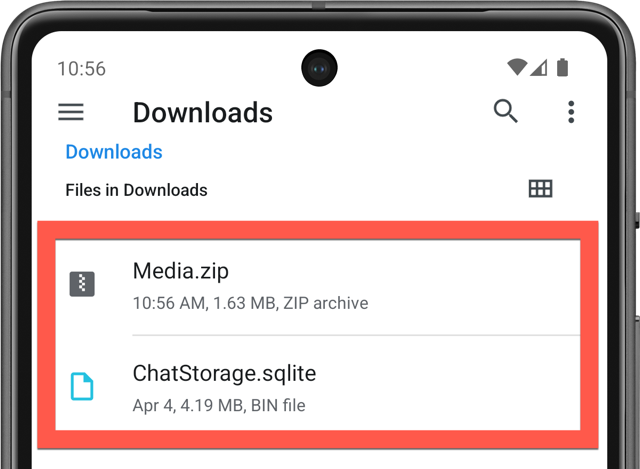
You need to copy the Media.zip file from your iPhone the same way you did for ChatStorage.sqlite (Windows or Mac instructions).
You need to place it in the Download folder on your Android device. You can copy it from your PC to Android (using Android File Transfer for Mac or Kies for PC/Mac) or transfer it by any other means (Dropbox, Google Drive, etc.).
Please note that if you've already migrated your messages, you need to perform a brand new migration as WhatsApp needs to be made aware of the new media that will be embedded in your imported conversations.
Was this article helpful?
That’s Great!
Thank you for your feedback
Sorry! We couldn't be helpful
Thank you for your feedback
Feedback sent
We appreciate your effort and will try to fix the article